
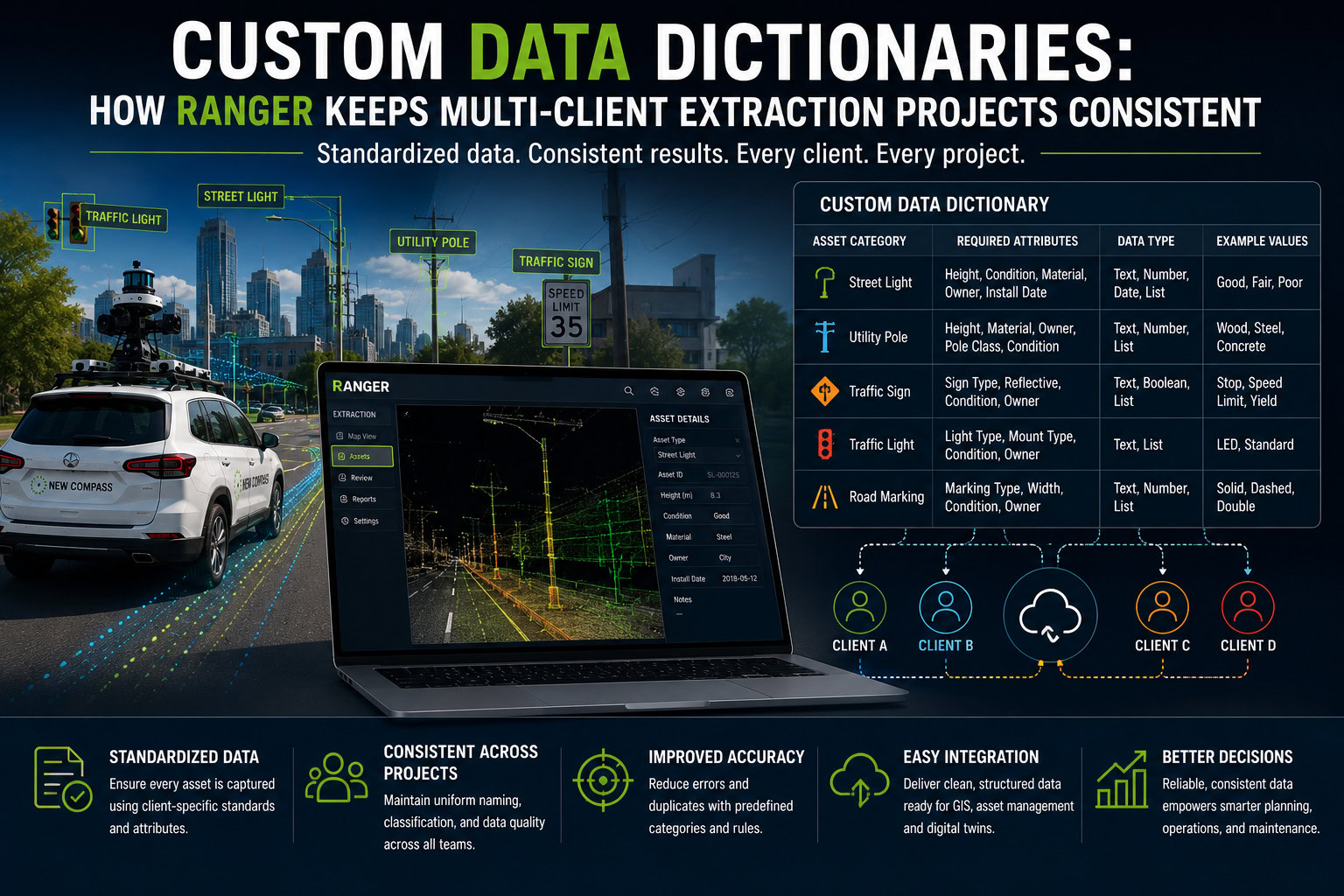
Every asset management project starts with the same question: what exactly are we extracting, and how should it be structured once we have it? The answer looks different for every organization. A utility company tracking poles and spans uses different terminology, different attributes, and different downstream systems than a city cataloging signs and street furniture, or a transportation department mapping curbs and parking infrastructure. Ranger’s Data Dictionary Builder was designed around that reality, and ensures that no user has to fit their data into someone else’ s mold.
What the Data Dictionary Builder Does
At its core, the Data Dictionary Builder is where project managers define what extraction tools are available to extractors in their project. From the Dictionary tab, you can start from scratch with a brand-new dictionary or duplicate one from a past project when a new job shares similar asset types, a helpful shortcut for teams running similar extraction work across multiple clients or regions.
A data dictionary can be built starting in a few different ways. You can pull from a library of previously defined assets or create a new one from scratch by naming it, describing it, and choosing the extraction geometry (point, line, area, or polygon) that fits how it will actually be captured from the point cloud.
From there, each asset type gets its own set of attributes: the specific fields analysts will fill in during extraction, and the fields that will ultimately populate your exported dataset. You control the order attributes appear in (which also determines their order in the final export), whether an attribute is visible in the exported file at all, and how each one behaves: read-only, included in audit scoring, or computed automatically from other fields via a query. It’s a surprisingly deep toolkit hiding behind a simple interface, and that depth is exactly what makes it valuable.
Why Customization Matters as Much as the Extraction Itself
It’s tempting to think of a data dictionary as a formality, a naming exercise you complete before the “real” work of extraction begins. In practice, it’s one of the most consequential steps in the entire workflow, because it determines whether your deliverable is actually usable the moment it lands.
Consider naming conventions alone. A “sign support” to one municipality might be a “sign post” to another, and a third might not distinguish them at all. Attribute names carry the same variation: what one utility calls “pole class,” another calls “pole category,” and a third tracks under a completely different field structure tied to an internal numbering system. Because Ranger lets you define asset types and attributes from the ground up, rather than working from a fixed template, the dictionary can speak the client’s language from day one instead of requiring a translation step after the fact.
That same flexibility pays off on the output side. Deliverables rarely exist in a vacuum; they’re headed somewhere, whether that’s a GIS platform, an asset management system, or a design or engineering tool with its own schema expectations. Because attribute names, short names (the actual column headers in the exported shape file), and field order are all configurable, the dictionary can be built to match the destination system’s formatting from the start. That means less reformatting, fewer mapping errors, and a much faster handoff.
The same principle applies when a client already has an existing database, such as a city with years of sign or asset inventory already in place. Rather than extracting data in a generic format and reconciling it afterward, the dictionary can be structured to mirror the existing database’s fields and conventions, so new extraction data slots directly into what’s already there instead of creating a second, incompatible dataset that needs to be merged by hand.
The Building Blocks That Make It Work
A few specific dictionary features are what make this level of customization practical rather than theoretical:
Picklists turn open-ended fields into controlled vocabularies. Instead of letting analysts type free text, and risk typos, inconsistent phrasing, or five different spellings of the same value, a picklist offers a fixed set of options. This is especially valuable for something like condition assessments, where consistency is everything: a dropdown of standardized condition ratings keeps every analyst scoring assets the same way, which keeps the resulting dataset clean and genuinely comparable across an entire project.
Boolean attributes handle the simple yes/no distinctions that show up constantly in asset data, such as whether a fixture is damaged, a sign is reflective, or an easement is present, without needing a full picklist for a two-value answer.
Parent/child relationships let the dictionary reflect how assets actually relate to each other in the physical world. Some relationships, like a pole and its attachments, link automatically by proximity. Others, like a curb tied to a parking space or a sign tied to its support, are defined explicitly, specifying which asset types can act as parents and which can act as children. From there, a JMESPath link can surface information from one linked asset directly into another’s attribute table, so related data doesn’t live in isolated silos; it travels with the assets it belongs to.
Built for the Reality of the Work
None of this customization is complexity for its own sake. Every industry names things differently, every downstream system expects data in its own shape, and every client’s existing infrastructure has its own history baked into it. A data dictionary that can’t flex to meet those realities becomes a bottleneck instead of a foundation. Ranger’s Data Dictionary Builder treats that flexibility as a first-class feature, giving project teams the tools to define exactly what they need, exactly how they need it, before a single asset is ever extracted.
Want to see how the Data Dictionary Builder could be configured for your next project? Reach out to our team to learn more or request a demo.